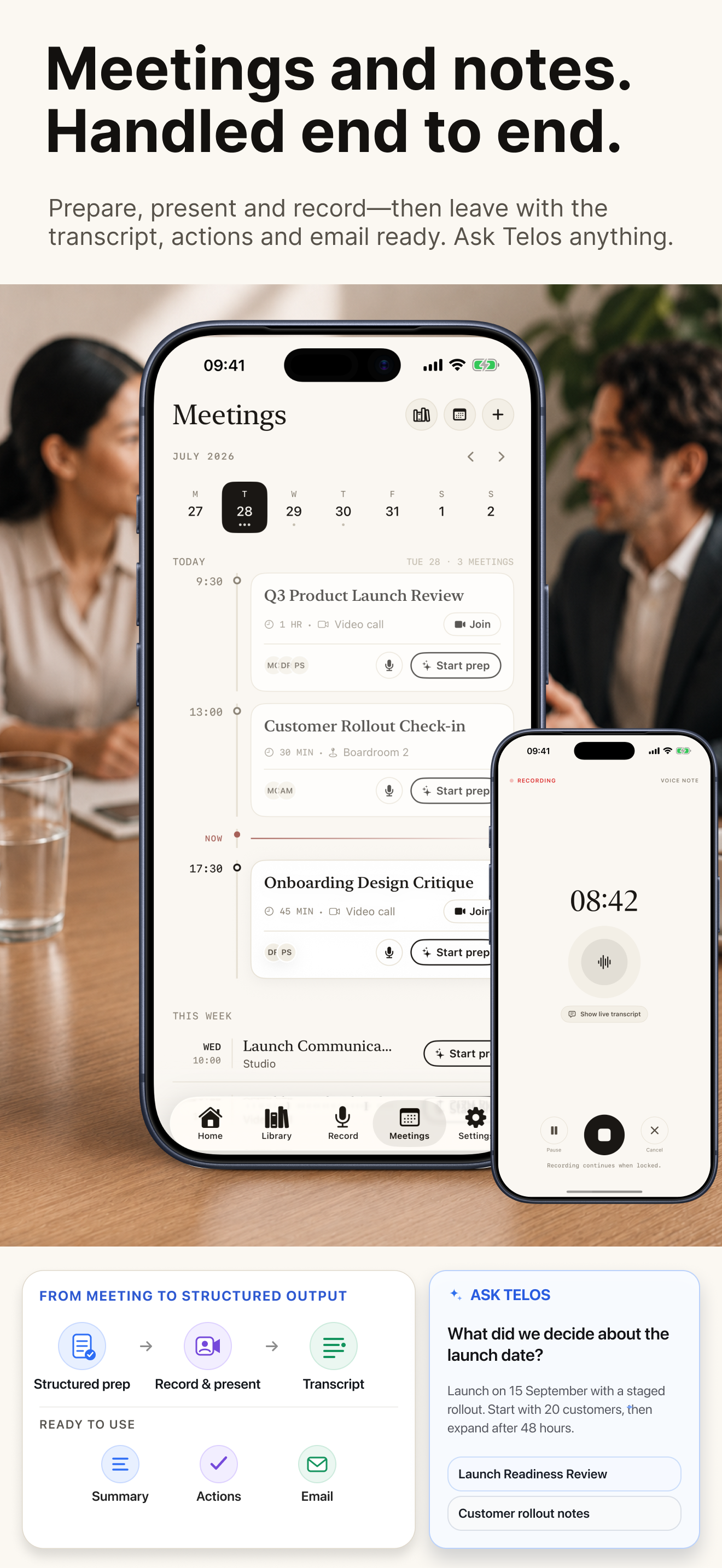
Prepare with context, capture meeting audio from Zoom, Teams, Meet or any other app, and leave with the transcript, summary, actions and follow-up email.
One calm workflow before, during and after the conversation—without forcing your meeting into somebody else’s system.
01
Prepare
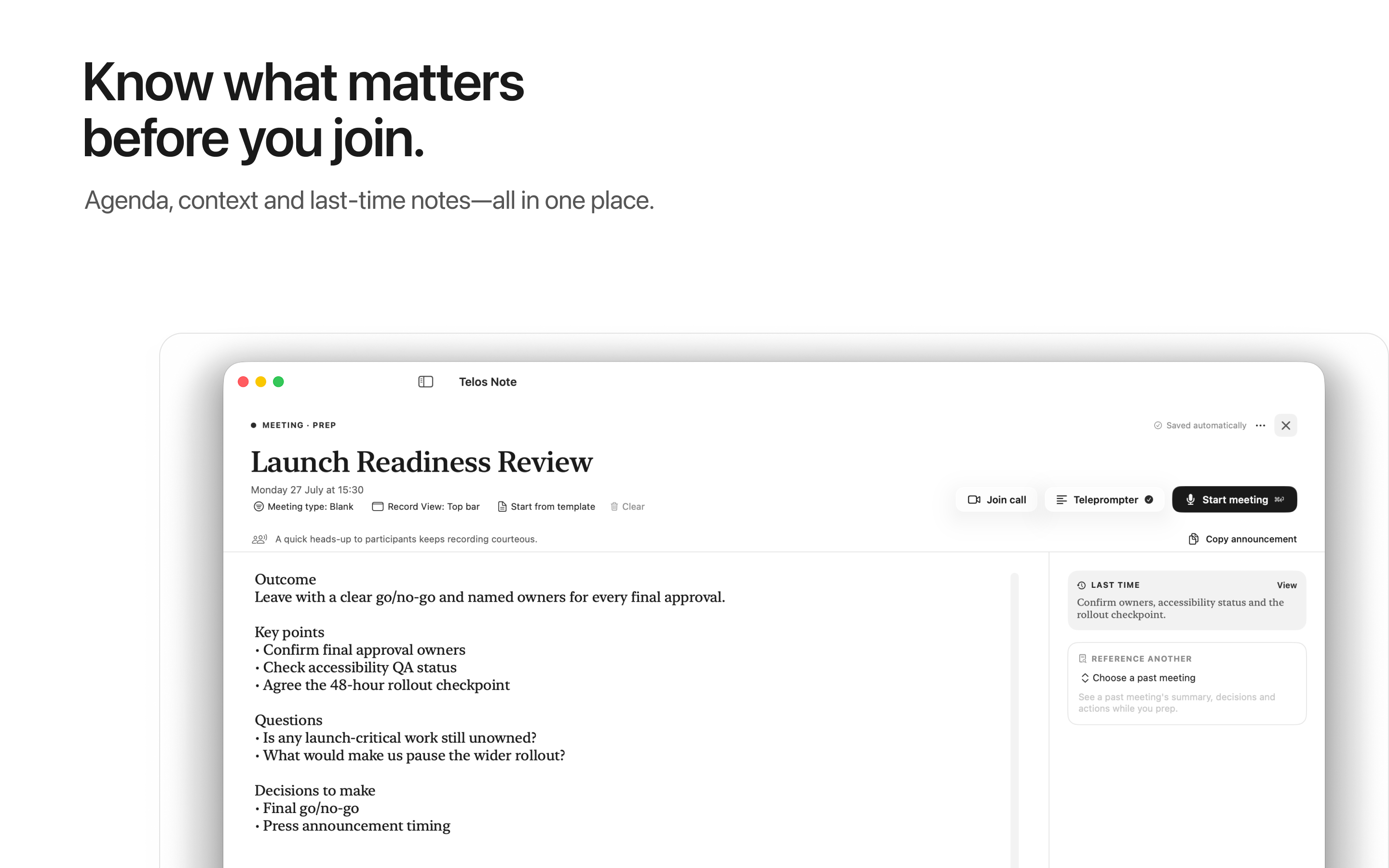
Prepare by voice or keyboard, with related previous meetings close at hand.
02
Present
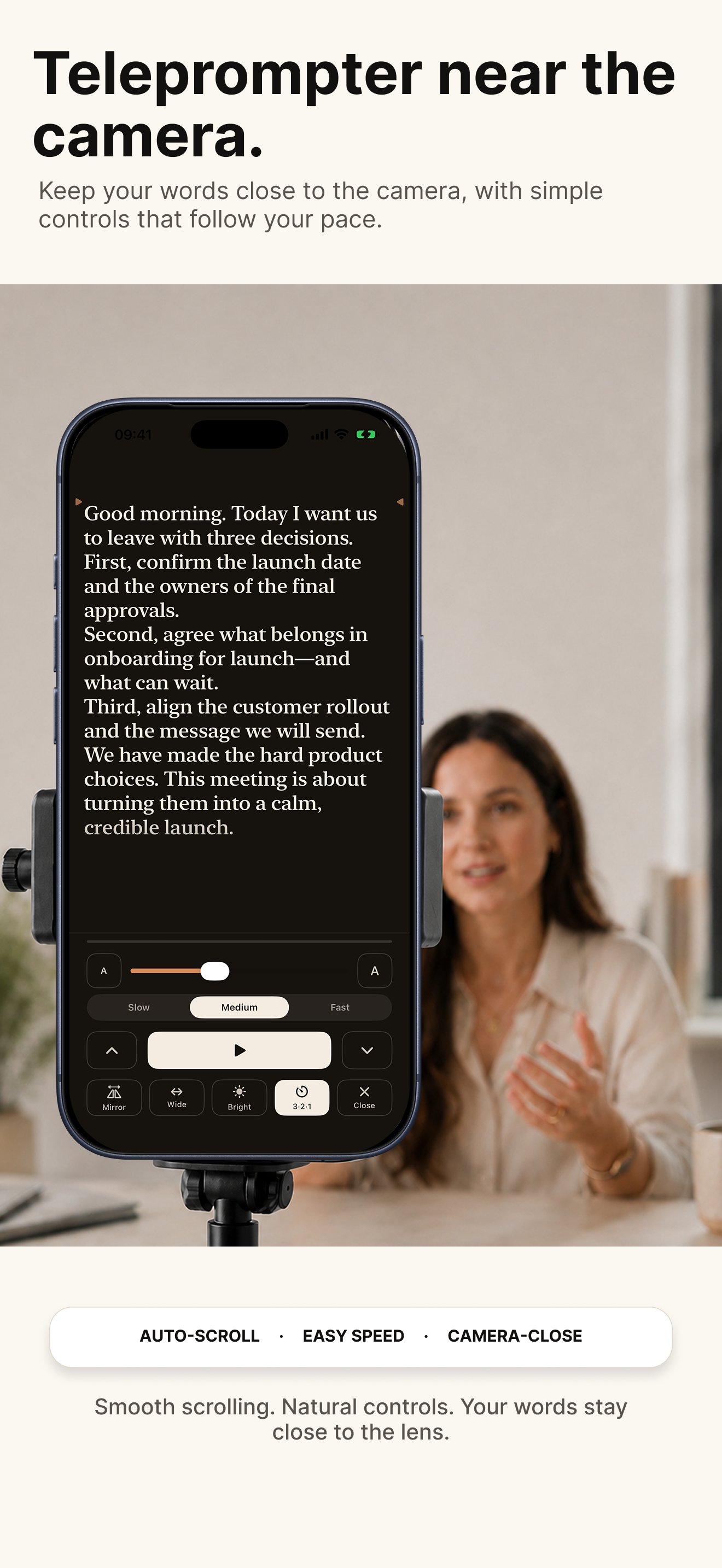
Keep your words close to the camera with a smooth teleprompter.
03
Record
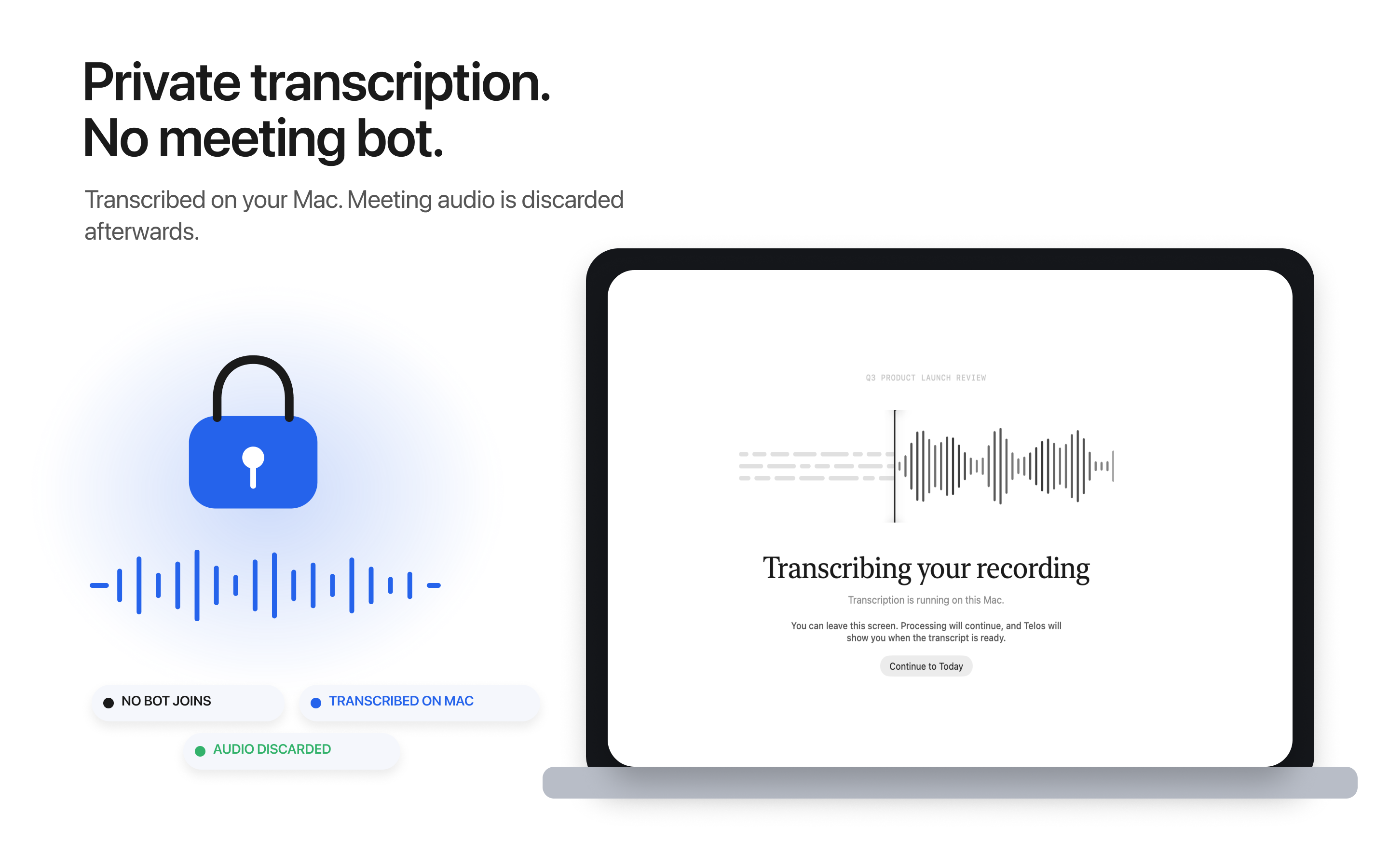
Capture in person or online. On Mac, Telos captures system audio, so no bot joins your meeting.
04
Review
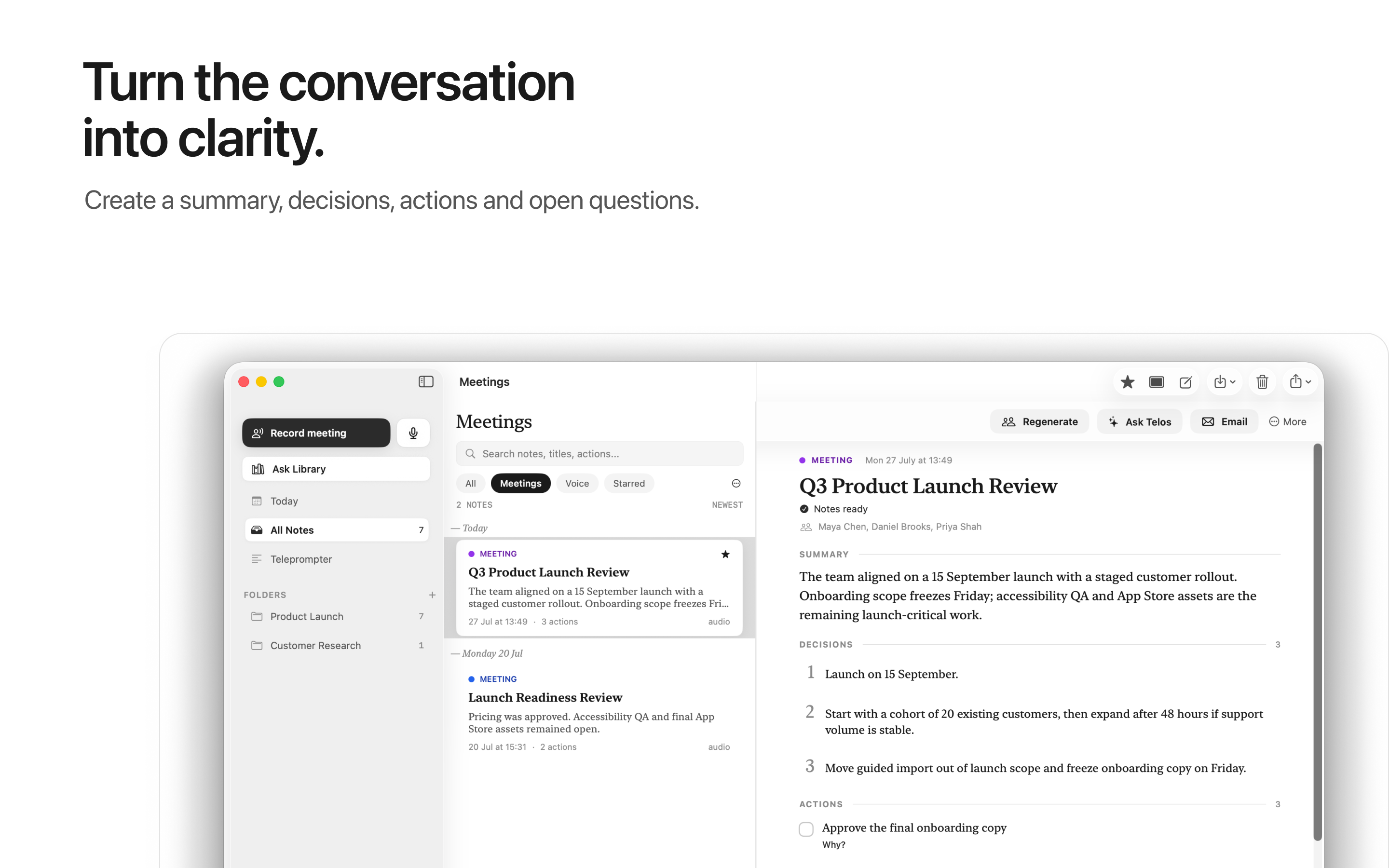
Choose Meeting Notes and Telos creates a structured summary with decisions, actions and open questions.
05
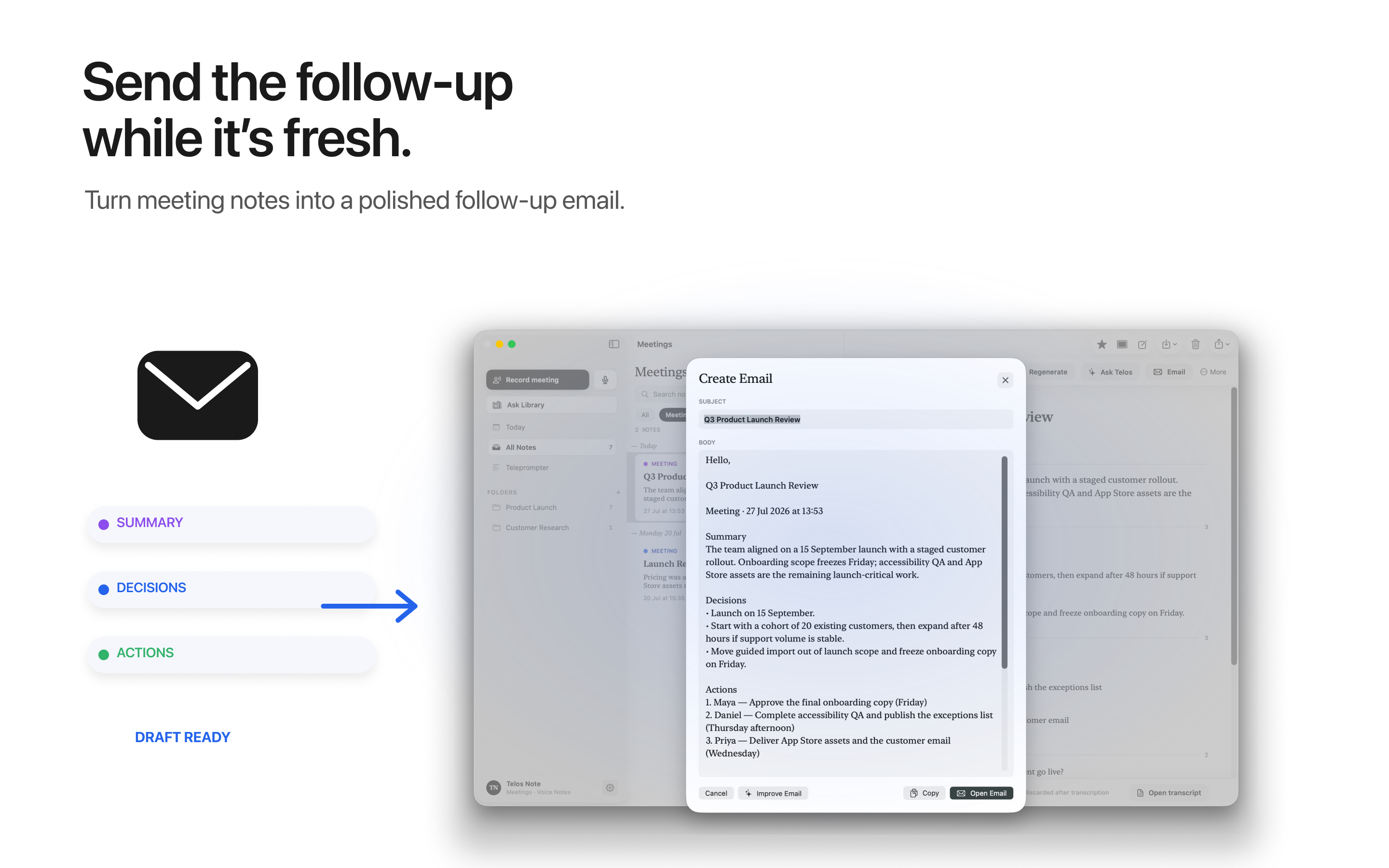
Follow up
Telos drafts the complete follow-up email for you. Then ask questions across your meetings and notes whenever you need context.
Built for every Apple screen
Take the whole workflow with you.
Prepare, capture and review on iPhone. Present from the teleprompter. Keep your meetings and everyday notes in one library.
Meetings, end to endPrepare, record and leave with useful output.
Present naturallySmooth, camera-close prompting wherever you are.
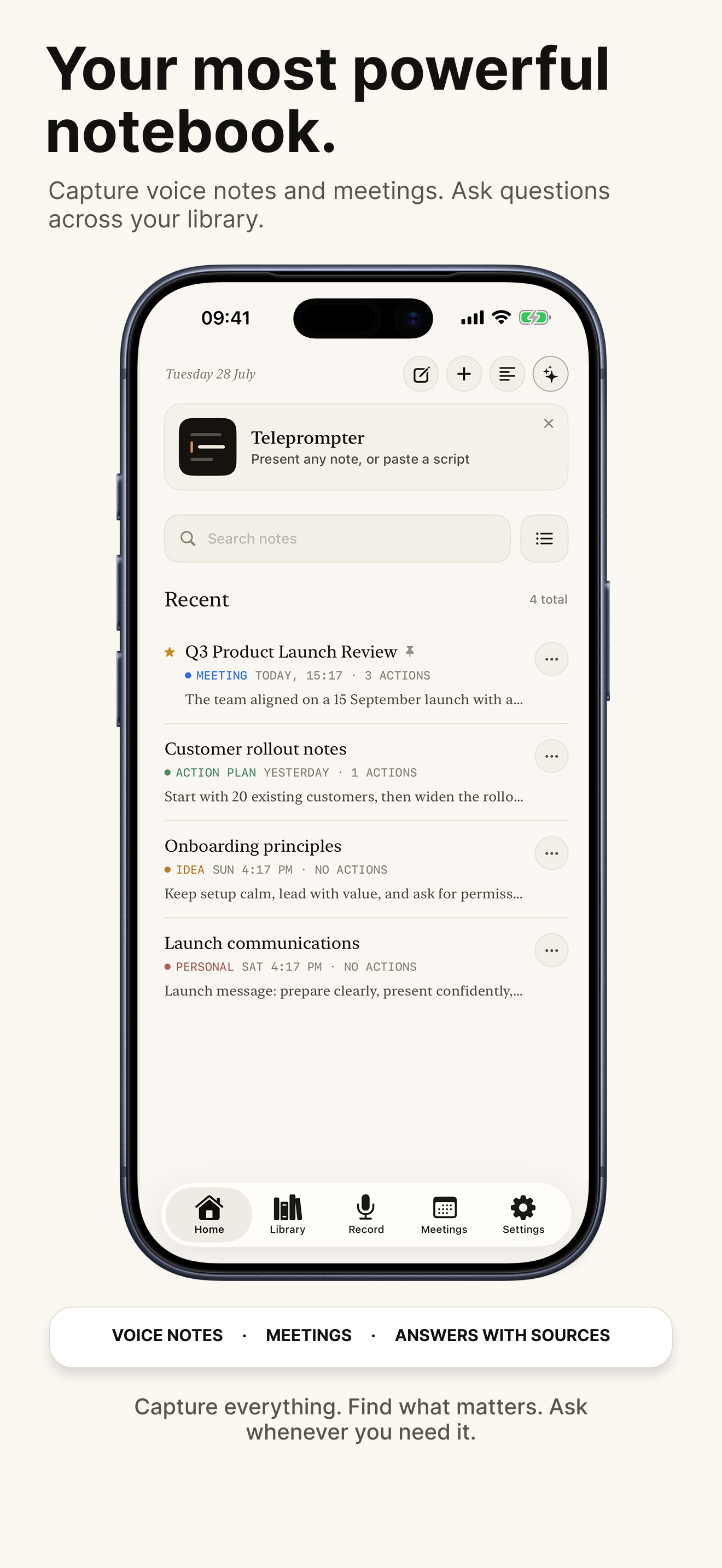
Your complete notebookVoice notes, meetings and answers with sources.
Stay present
Teleprompter at the camera. Never lose your place.
Smooth scrolling and natural controls keep your words close to the lens—without turning the meeting into a performance.
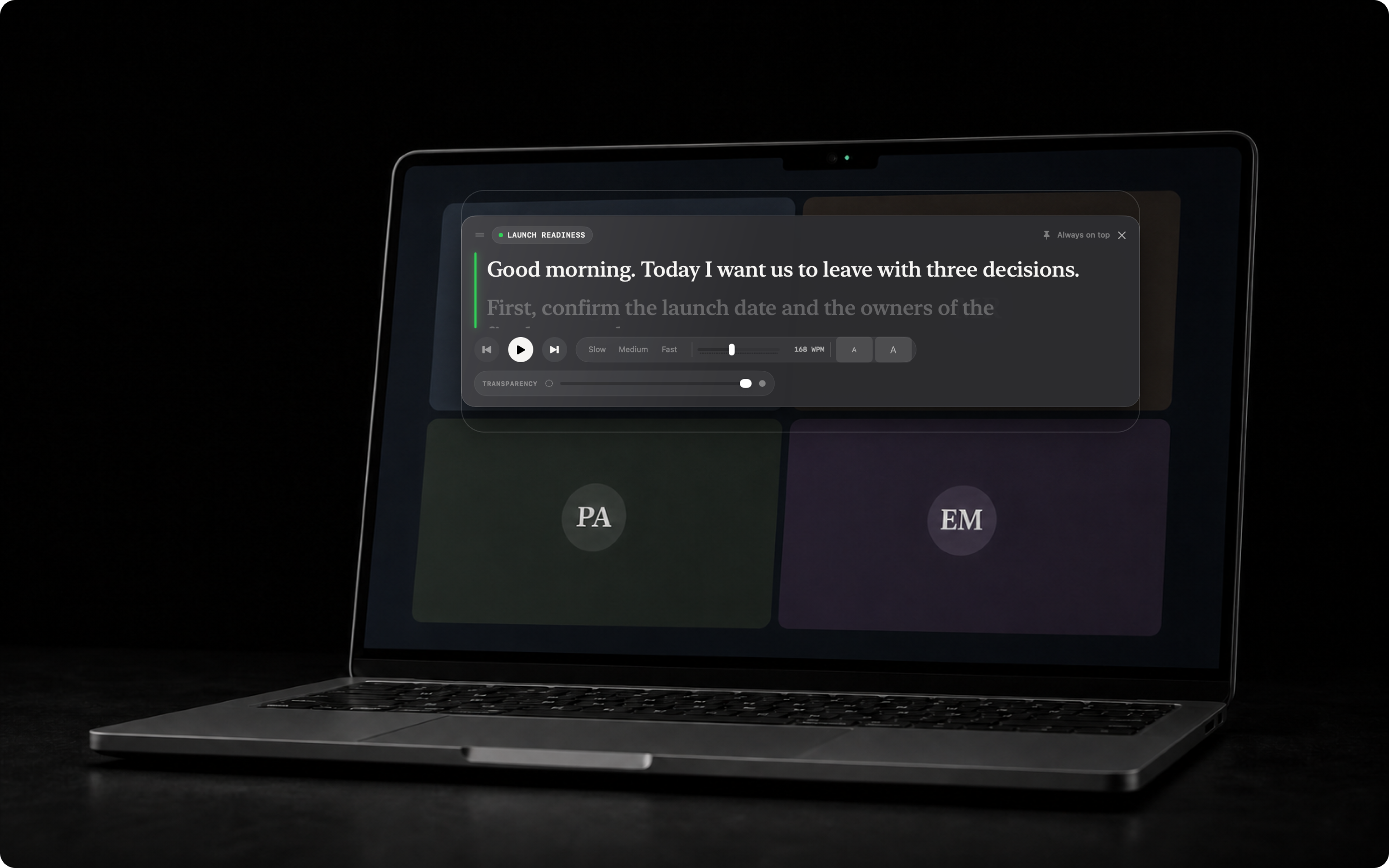
Keyboard controls on Mac and iPad
Portrait and mirror mode on iPhone; portrait, landscape and mirror mode on iPad
Adjustable pace, text size and transparency
Designed for the actual camera position
MaciPhoneiPad
During the meeting
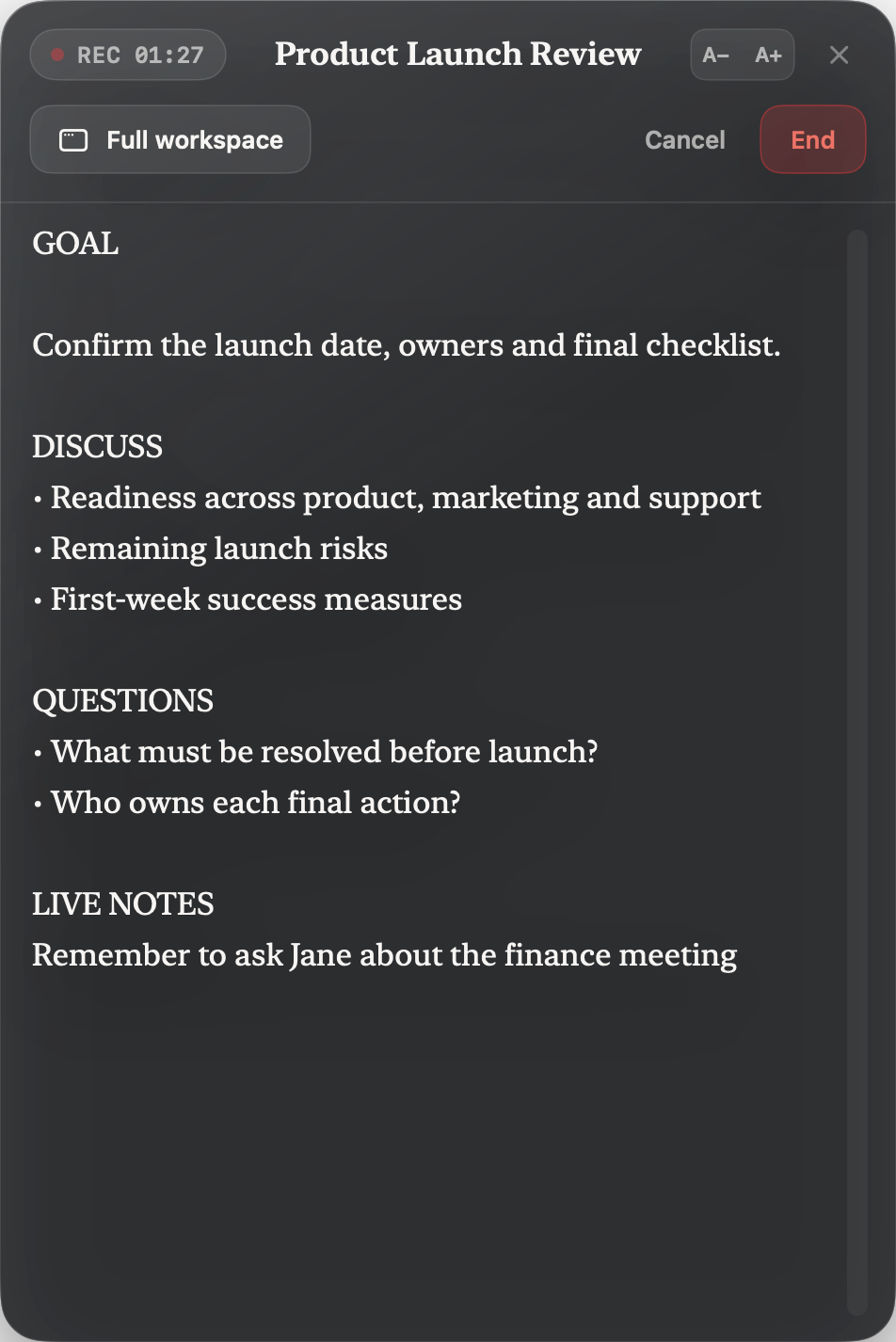
Your meeting notepad. Always in view.
Keep your prep beside the call and add live notes as you go. Open the full workspace whenever you need more room.
Prep and live notes together
Always on top of your meeting
Full workspace one click away
Private Mac transcription
No bot. No cloud audio.
English meeting transcription runs on your Mac. Meeting audio is not sent to a cloud transcription service and is discarded after the transcript and meeting record are safely saved.
Download onceThe English transcription model ships inside the Mac app.
No accountNo Telos login is required to use the app.
Your choiceText goes to AI providers only when you invoke an AI feature.
Prepare by voice on iPhone or iPad, or work directly on Mac. Bring the outcome, key points, questions and previous meeting context into one place.
Voice or keyboardUse the device that suits the moment.
Last-time contextReference a previous meeting while you prepare.
Optional iCloudMove between your Apple devices without a Telos account.
After the conversation
Leave with something useful.
Create structured meeting notes with the summary, decisions, actions and open questions. Then draft a complete follow-up—or a quick email when that is all you need.
Meeting notes stay editable, with the transcript available as the record.
Choose a complete follow-up or a quick email while the context is fresh.
Beyond meetings
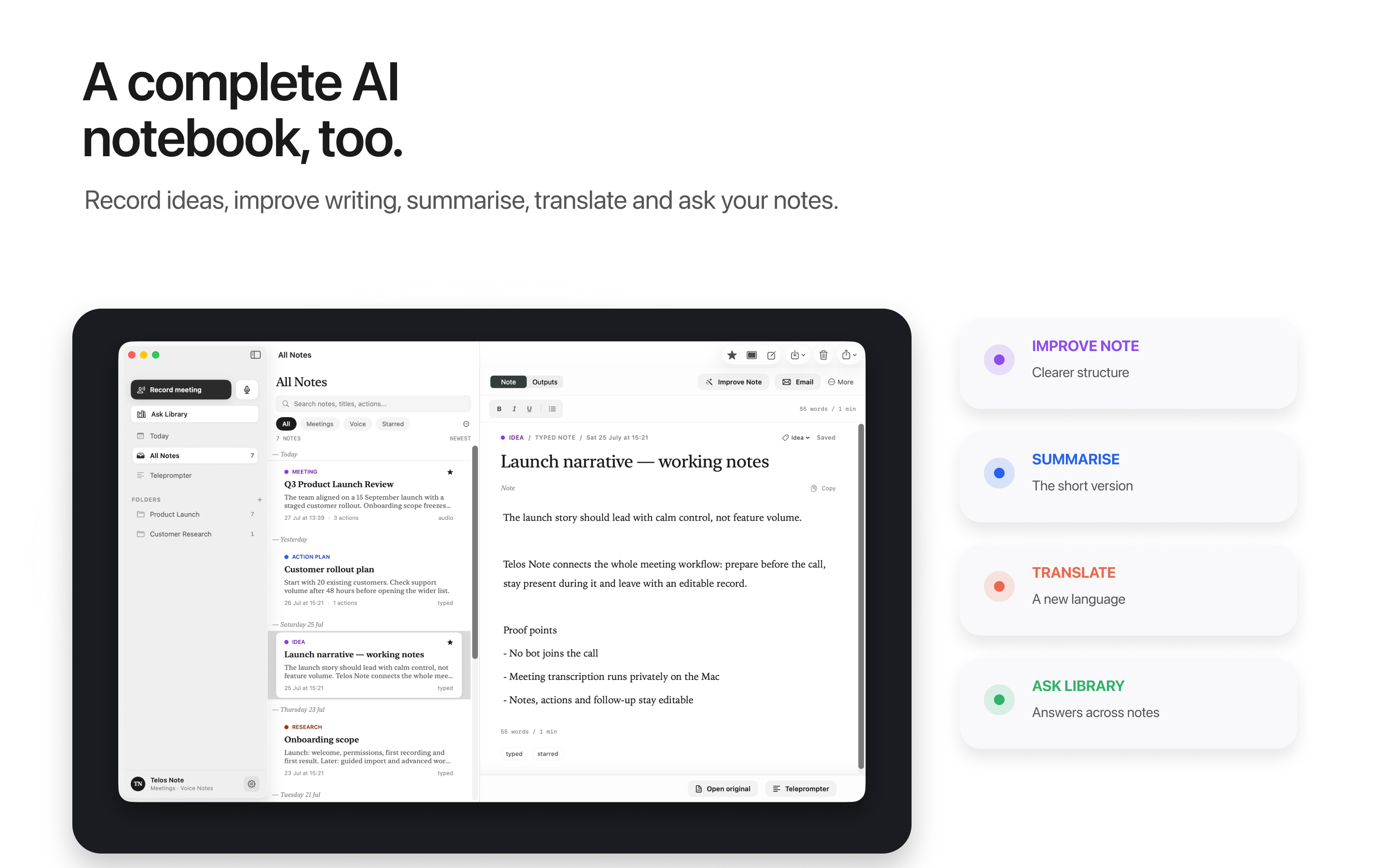
A complete AI notebook, too.
Capture ideas, keep source material and work with the notes that matter.
01
Capture naturallyVoice notes, written notes, meetings, documents, PDFs, images and audio.
02
Work with a noteImprove, summarise, translate or ask questions when you choose.
03
Ask TelosAsk questions across your library and see which notes supported the answer.
04
Keep controlEdit, organise, export and share the result from your own library.
Plans
Start free. Choose the pace that fits.
Basic covers the essentials. Pro and Pro+ increase meeting capacity and AI allowances across your Apple devices.
Basic
Learn the complete workflow before subscribing.
Notes and voice capture
Teleprompter
Limited meeting notes and AI actions
Optional iCloud Sync
Pro
For a regular week of meetings and notes.
More AI meeting notes each week
Longer Mac meetings
Expanded Improve Note and Ask Telos
All supported Apple devices
Pro+
For heavier meeting weeks and longer conversations.
More AI meeting notes each week
The longest supported Mac meetings
Higher AI allowances
Upgrade from Pro in the app
Current prices, billing periods and exact allowances are shown in the app and Apple’s purchase sheet before you subscribe.
Questions
The useful answers.
What is Telos Note?
Telos Note is an end-to-end AI meeting notepad for iPhone, iPad and Mac. Prepare with context, present with a teleprompter, capture meetings and voice notes, create useful follow-up and ask questions across your notes.
Does a bot join my meetings?
No. On Mac, Telos captures the meeting audio playing on your computer. No bot appears in Zoom, Teams, Meet or the other meeting app you use.
Do I need a Telos account?
No Telos account is required. Notes are local-first, and optional iCloud Sync uses your Apple ID and private iCloud storage.
Is meeting transcription private?
On Mac, English meeting transcription runs on your Mac. Meeting audio is not sent to a cloud transcription service and is discarded after the transcript and meeting record are safely saved. iPhone and iPad transcription uses Apple Speech Recognition, which may use Apple services depending on the device, language and settings.
Does AI run automatically?
No. You choose when to create Meeting Notes, improve a note, summarise, translate or ask Telos a question. The relevant text is sent for server-side AI processing only when the selected feature needs it.
Can I move between iPhone, iPad and Mac?
Yes. Turn on iCloud Sync to keep notes and meeting prep available across your Apple devices. For automatic meeting matching, enable the same calendar accounts in Apple Calendar on each device and allow Telos calendar access.
Meetings and notes. Handled end to end.
Prepare, present, capture and follow up across iPhone, iPad and Mac.